How to join an Enshrouded server?
We recommend connecting by adding the game to Steam favorites.
How to add an Enshrouded server to favorites?
- Copy the server address from the ServerProject panel:
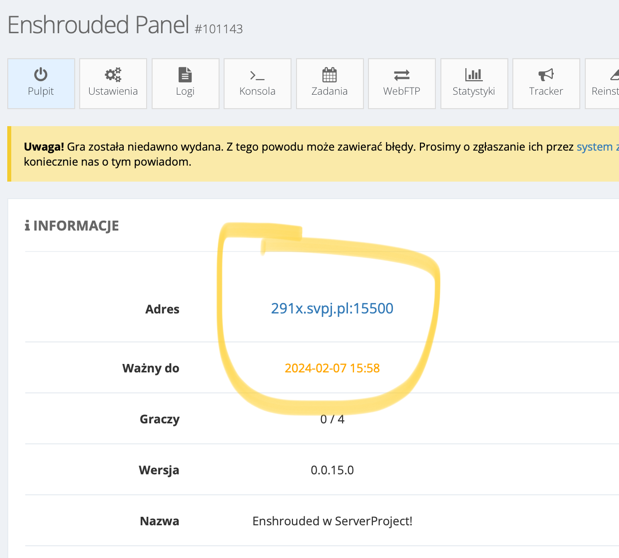
- In the screenshot, the server port is
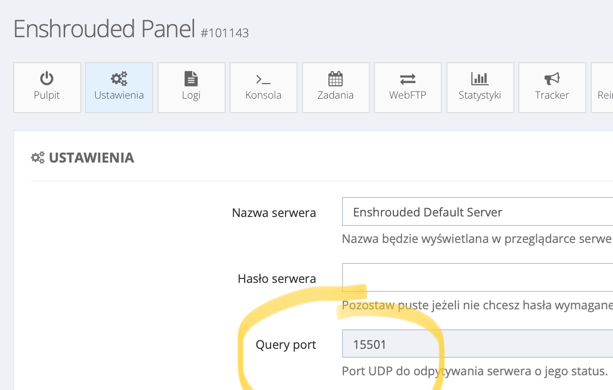
15500, when adding the server to favorites you need to use the query port, which in ServerProject is one higher than the server port, for the given example it will be 15501. You can also find the Query Port in the "Settings" tab.
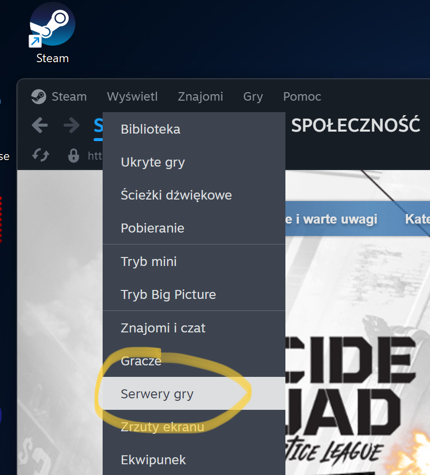
- Open Steam and go to View -> Game Servers
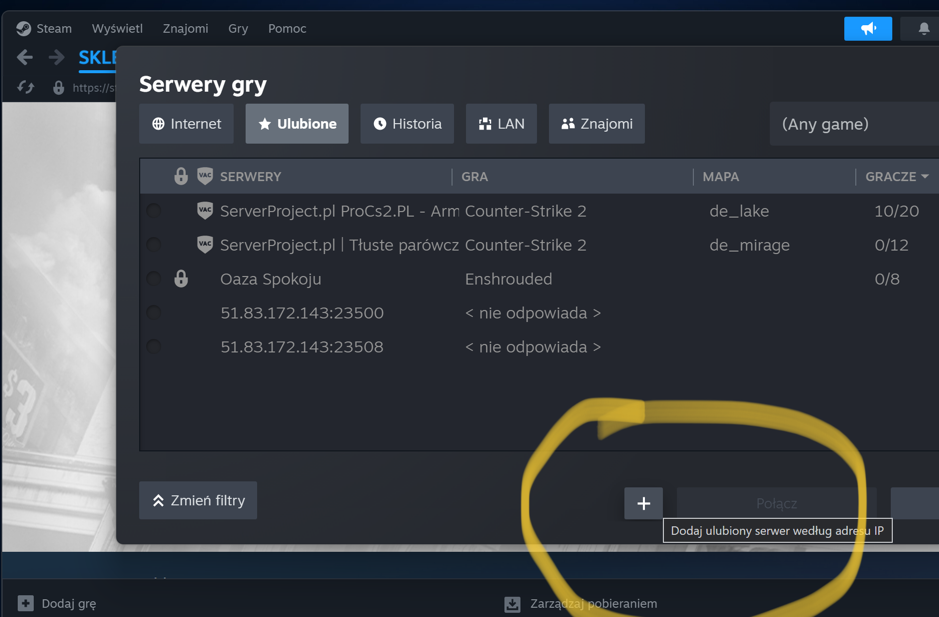
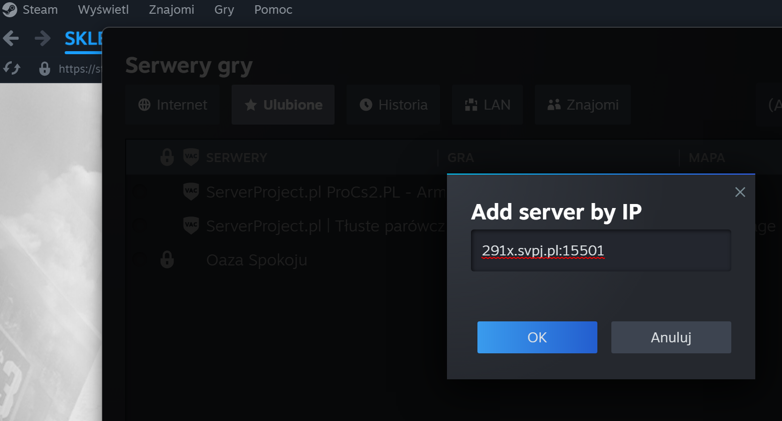
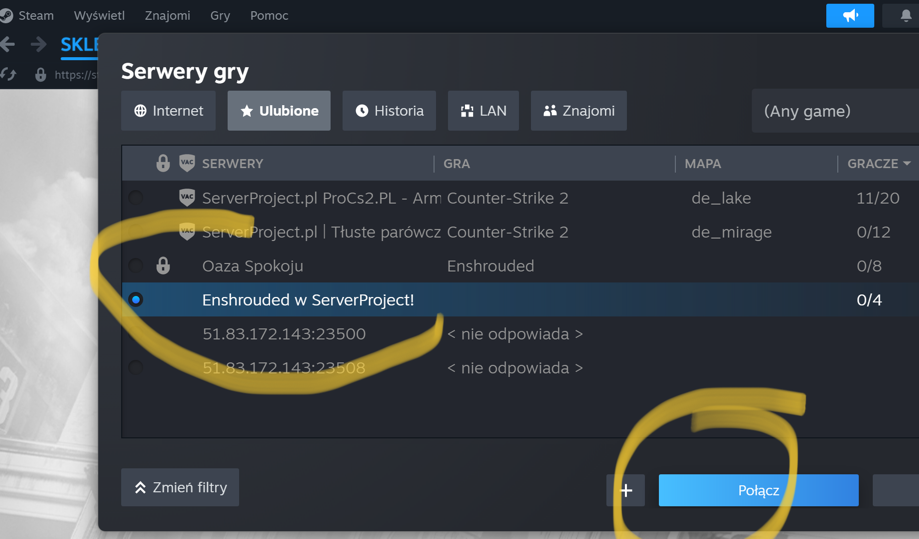
- Click Favorites, then press +
- Enter your server address with the port changed to the Query port,
in our example it will be the address
291x.svpj.pl:15501
- Launch the game, the server just added to favorites should appear at the top of the list.
- If you still have problems joining the server, make sure your game is up to date and that the server is up to date. You can update the Enshrouded server in the panel in the Update tab.