How to connect your own domain to a Teamspeak 3 (TS3) server
If you don't know how to get your own domain, check our article on this topic.
Teamspeak 3 offers DNS support allowing connection using only the domain, without the need to enter ports.
For demonstration purposes, let's assume your server address is
1.2.3.4:9987. The domain address you have is example.com.
The address consists of two parts separated by the : character:
- IP address:
1.2.3.4 - server port:
9987
Screenshots come from the DNS entry management system at the company we recommend.
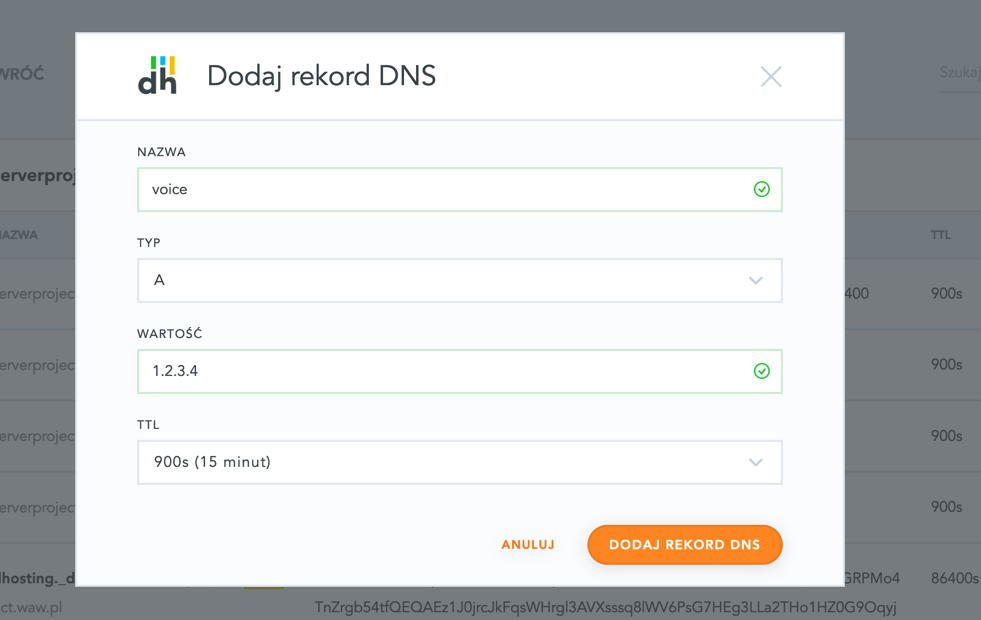
Creating an A record
Add an A record pointing the voice subdomain to the server IP address 1.2.3.4.
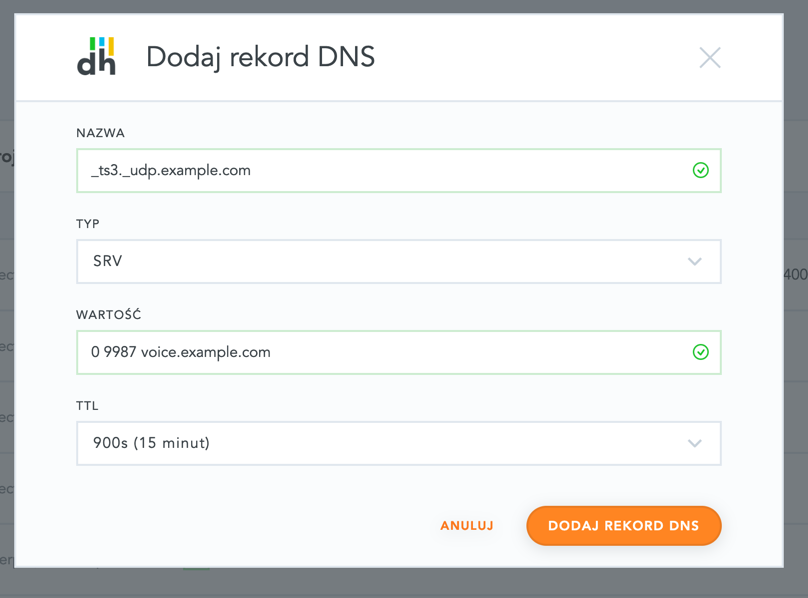
Creating an SRV record
Add an SRV record named _ts3._udp with the value: 0 9987 voice.example.com.
Note, don't forget to change
9987to your server port andexample.comto your domain!
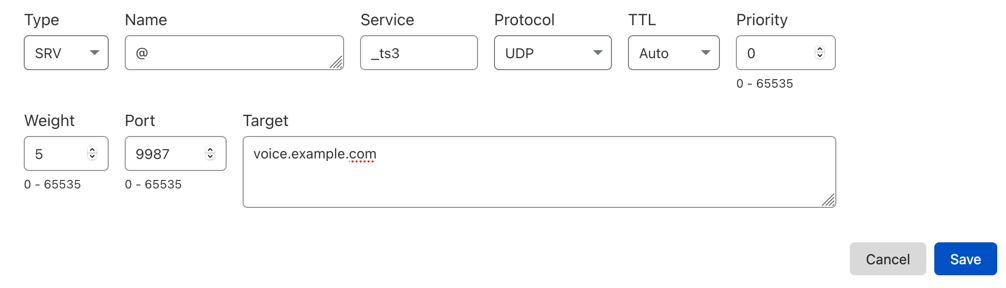
Example for popular Cloudflare DNS:
Summary
Done, now you can connect to your TS3 using the domain example.com.
Note, the propagation (activation) time for new DNS entries is up to 24 hours.