How to connect your own domain to a FiveM server
If you don't know how to get your own domain, check our article on this topic.
FiveM offers DNS support allowing connection using only the domain, without the need to enter ports.
For demonstration purposes, let's assume your server address is
1.2.3.4:9987. The domain address you have is example.com.
The address consists of two parts separated by the : character:
- IP address:
1.2.3.4 - server port:
9987
Screenshots come from the DNS entry management system at the company we recommend.
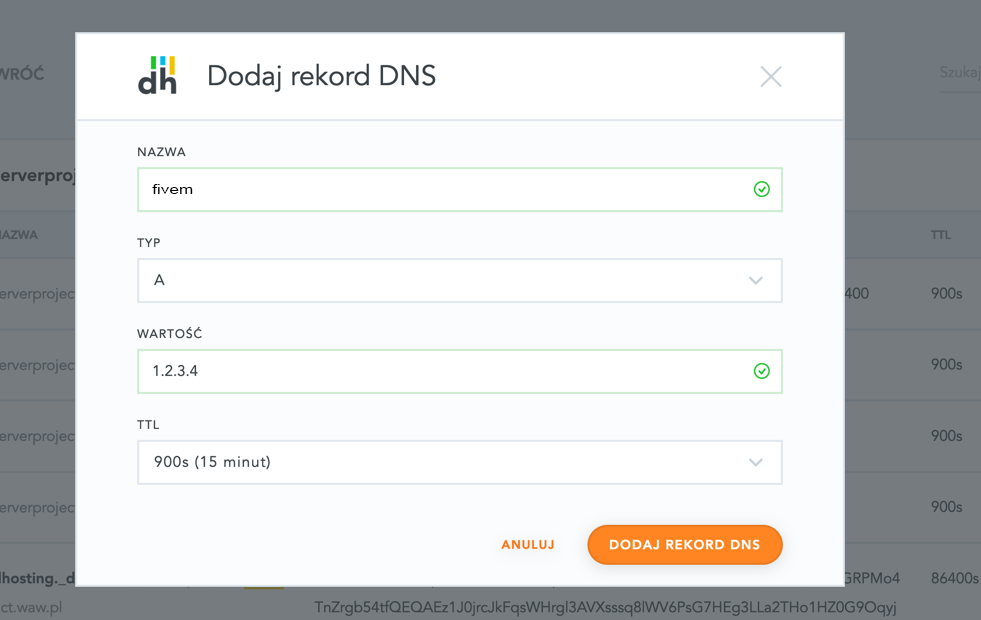
Creating an A record
Add an A record pointing the fivem subdomain to the server IP address 1.2.3.4.
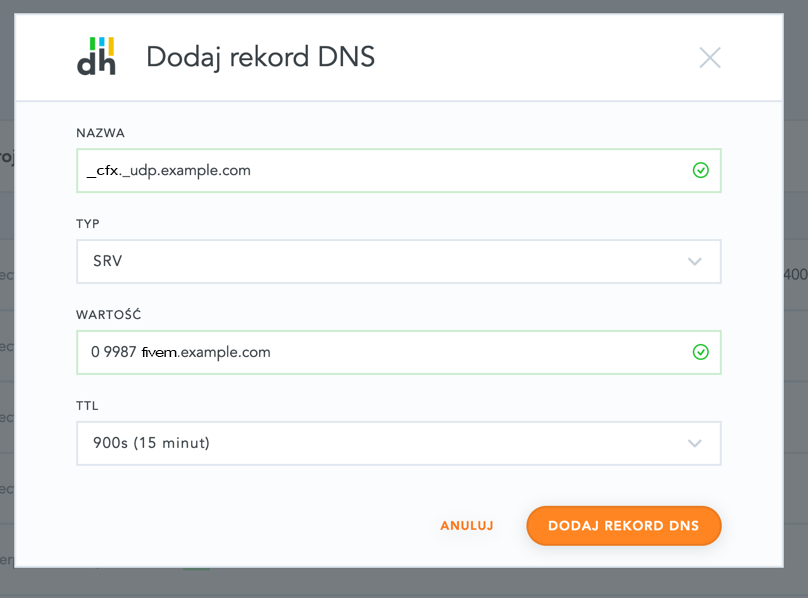
Creating an SRV record
Add an SRV record named _cfx._udp with the value: 0 9987 fivem.example.com.
Note, don't forget to change
9987to your server port andexample.comto your domain!
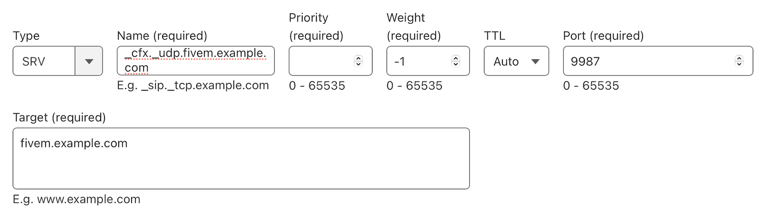
Example for popular Cloudflare DNS:
Summary
Done, now you can connect to your FiveM using the domain example.com.
Note, the propagation (activation) time for new DNS entries is up to 24 hours.