How to connect your own domain to a Minecraft server?
If you don't know how to get your own domain, check our article on this topic.
To configure a Minecraft domain, you need to add one SRV record to its DNS zone with the parameters:
- Service: _minecraft
- Protocol: _tcp
- Priority: 0
- Weight: 5
- Port: [your server port]
- Target: [domain address from ServerProject]
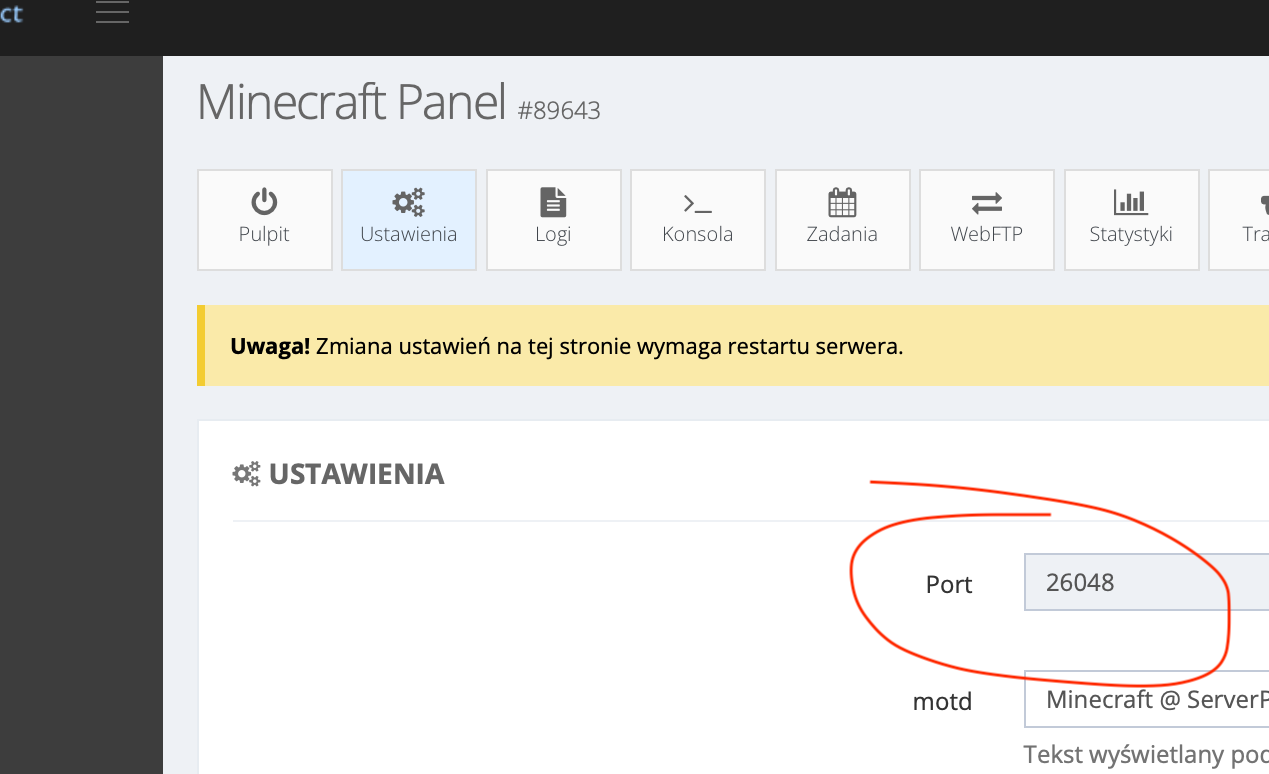
Where to get the server port?
You'll find your server port in the Settings tab. It's visible
in the screenshot below (marked with a red circle).
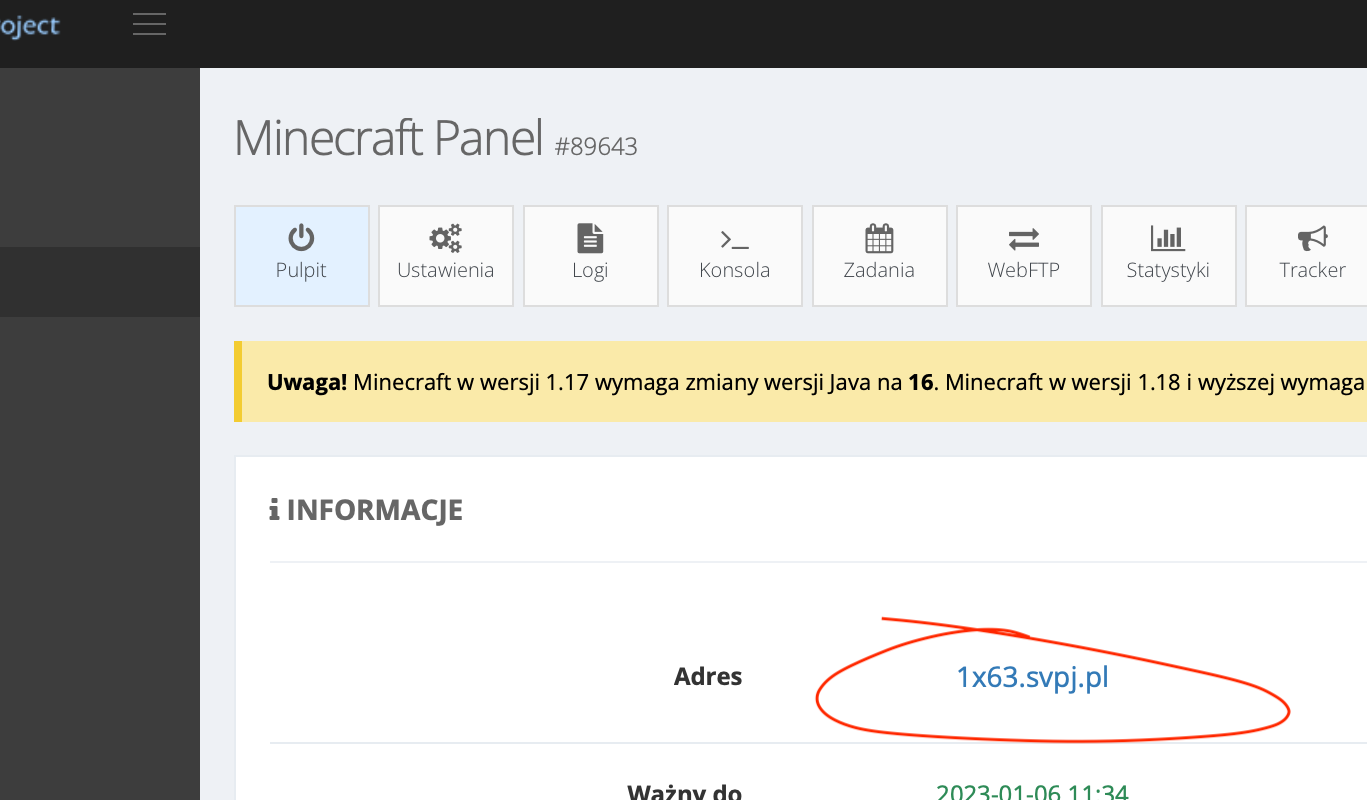
Where do I find the server's domain address?
The domain address is visible in the service management panel. It's visible
in the screenshot below (marked with a red circle).
Examples
Below are examples of adding a Minecraft server domain at example DNS service providers, assuming
the server's domain address is 1x63.svpj.pl, and the port is 26048.
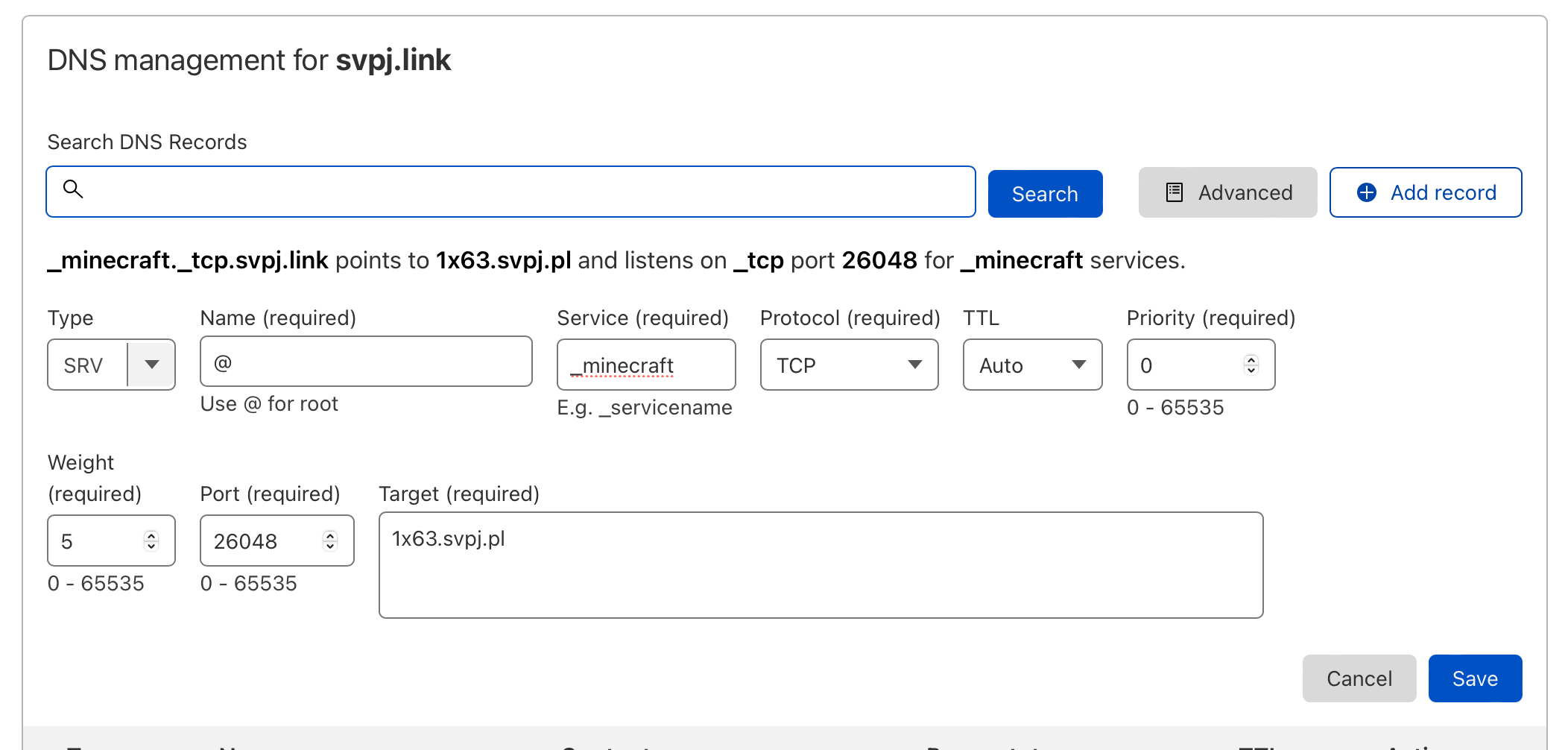
- Configuring the domain
svpj.linkin the Cloudflare DNS management panel. We will use thesvpj.linkdomain to connect to the server.
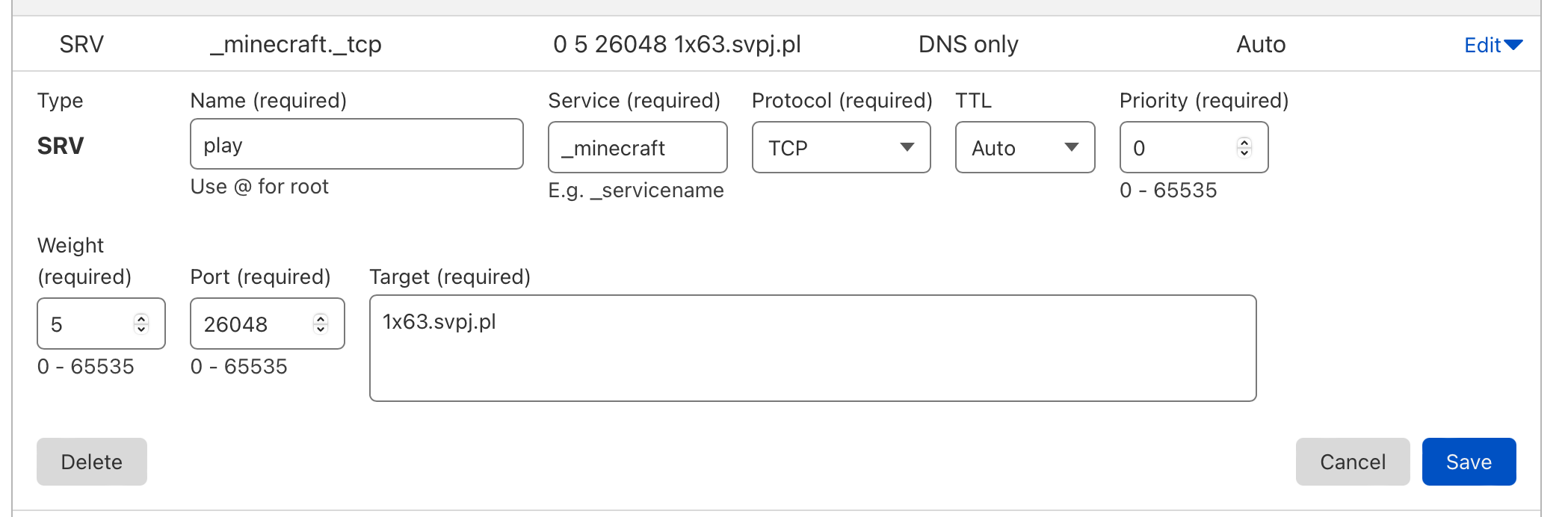
- Configuring the domain
play.svpj.linkin the Cloudflare DNS management panel.
- Configuring the domain
svpj.linkin the OVH DNS management panel.
