How to upload a world save from your own computer?
- Turn off the game server. Launch the Palworld game and click
Start Game.

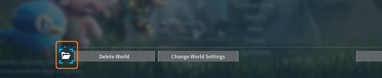
- You should find yourself in the World Select section. Select the world you want to transfer to us and click on the folder icon in the lower left corner:
-
A folder containing the game save should open, there will be files named
Level.sav,LocalData.sav,LevelMeta.sav,WorldOptions.savand folders such asPlayers. -
Log in to FTP or webFTP and go to the
/Pal/Saved/SaveGames/0directory and open the last folder, which has a random name, e.g.,AB57D493D202454DA714C8A3B18627CC. -
Delete the contents of this folder and upload the contents of the folder from the local computer that you opened in step 2, without the WorldOption.sav file.
Remember, when transferring files, don't upload the
WorldOption.savfile
- Done. Now you can start the server and enjoy your save.
Unfortunately, in some cases only the world transfers correctly, without the character save. The reason is the assignment of a new PlayerID. The solution to this problem is quite complicated and has been described here.