How to connect your own domain to the server?
If the subdomain we offer in most cases for free doesn't suit you for some reason, you can
of course connect your own. First, you need to buy it or already have it.
You can do this, for example, at the company we recommend
(tab domains -> enter the address you want -> SEARCH) or anywhere else. In our example,
after purchase, the domain will be automatically parked on the provider's DNS servers, which makes the whole procedure
easier and faster, but remember that this may not always be the case. After paying for the order,
you can proceed to configure the DNS entry. For demonstration purposes, let's assume that your server address is
1.2.3.4:5678.
The address consists of two parts separated by the : character:
- IP address:
1.2.3.4 - server port:
5678
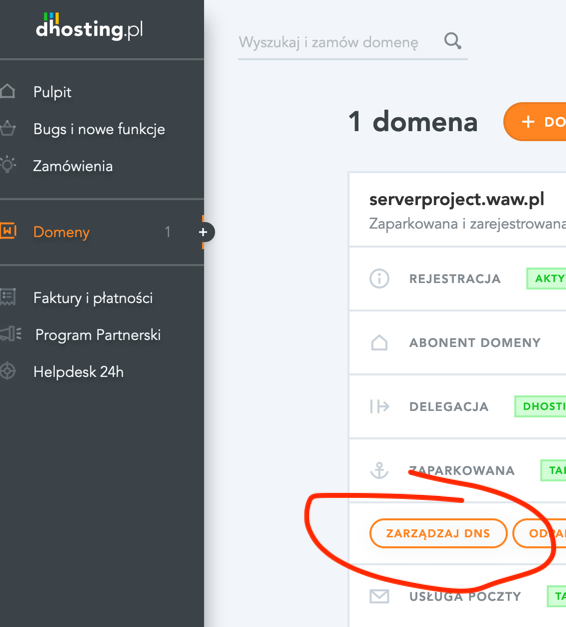
- Go to the domain list click on the PARKED section, then MANAGE DNS.
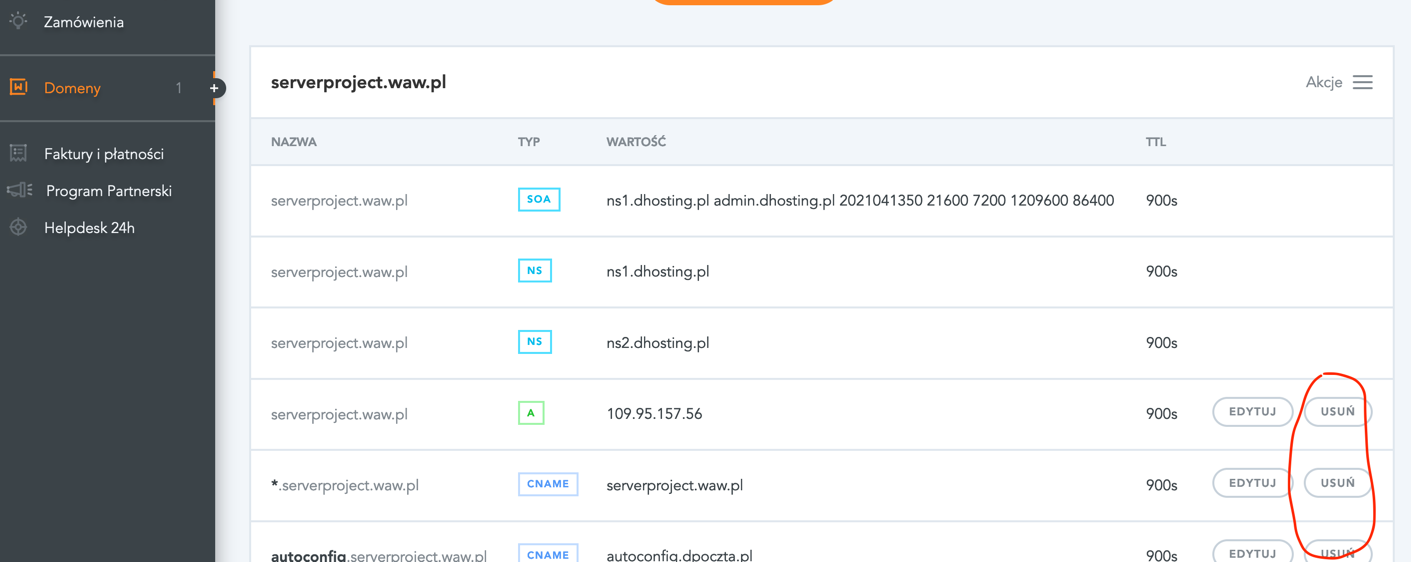
- The DNS zone usually contains default entries. Clear them to avoid confusion by clicking the DELETE button next to each one.
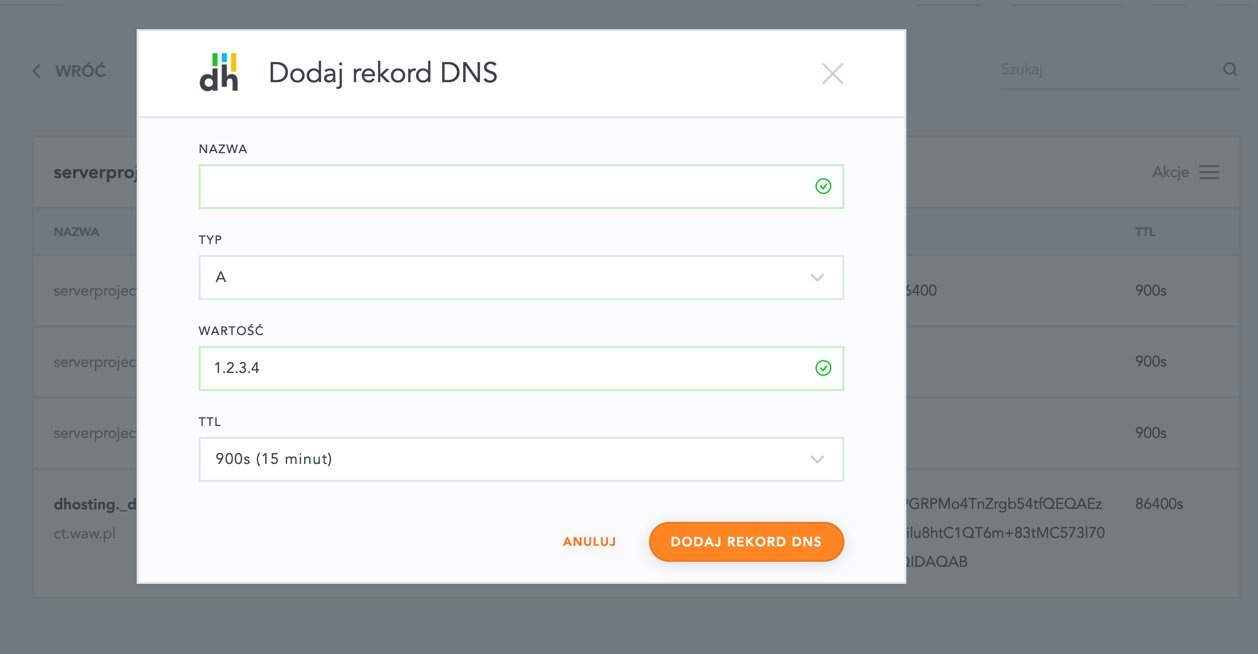
- Click the + ADD RECORD button and add an A TYPE record with a value corresponding to the server's IP address. In our
example, this will be
1.2.3.4. Leave the NAME field empty. Confirm by clicking ADD DNS RECORD.
- Wait up to 24 hours for DNS propagation. Usually, however, it takes much less time. A simple way to refresh local DNS servers is to restart the computer.
- Done. You can start connecting to your server using the domain. For most games, it is necessary to
add the port to the address, e.g.,
domain.pl:5678. Often, if your server uses the default port for a given game, you don't need to add the port. For example, the default port for MTA:SA is22003, so instead ofdomain.pl:22003you can usedomain.pl. In still other cases, e.g., for MINECRAFT, you can avoid having to enter the port by adding appropriate entries in the DNS zone- we described this here. Similarly for Teamspeak 3.