Diagnosing lag problems (former net_graph 1)
High ping and/or packet loss during gameplay can have a negative impact on the experience, which is why we care very much about providing excellent low-latency experiences.
Displaying data
In CS:GO, it was enough to type net_graph 1 in the console to display connection parameters.
In CS2, you need to enable CS2 settings by clicking the gear icon in the menu,
go to the GAME tab and select TELEMETRY from the available tabs.
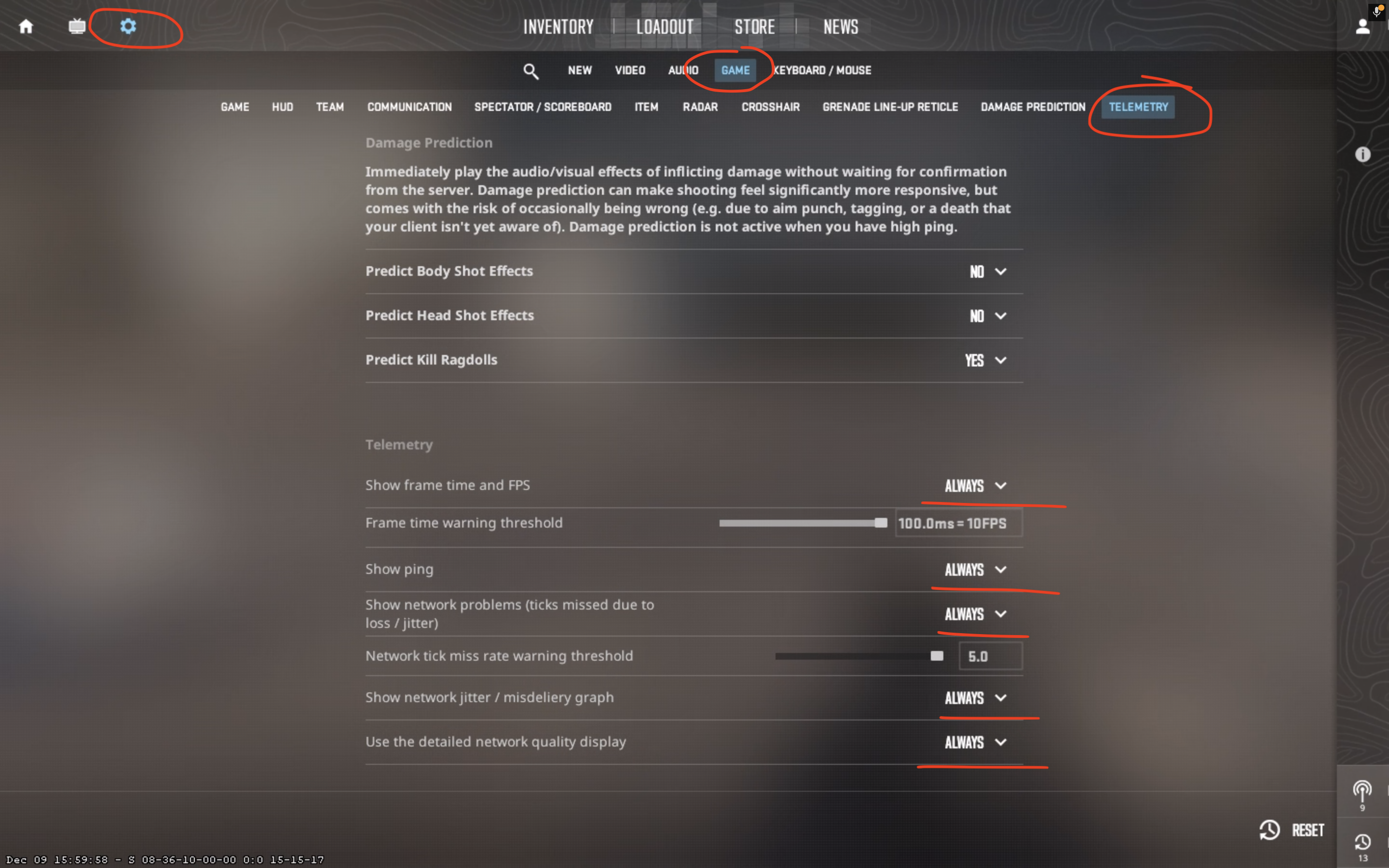
After setting all options to ALWAYS, we should see the data on the screen:
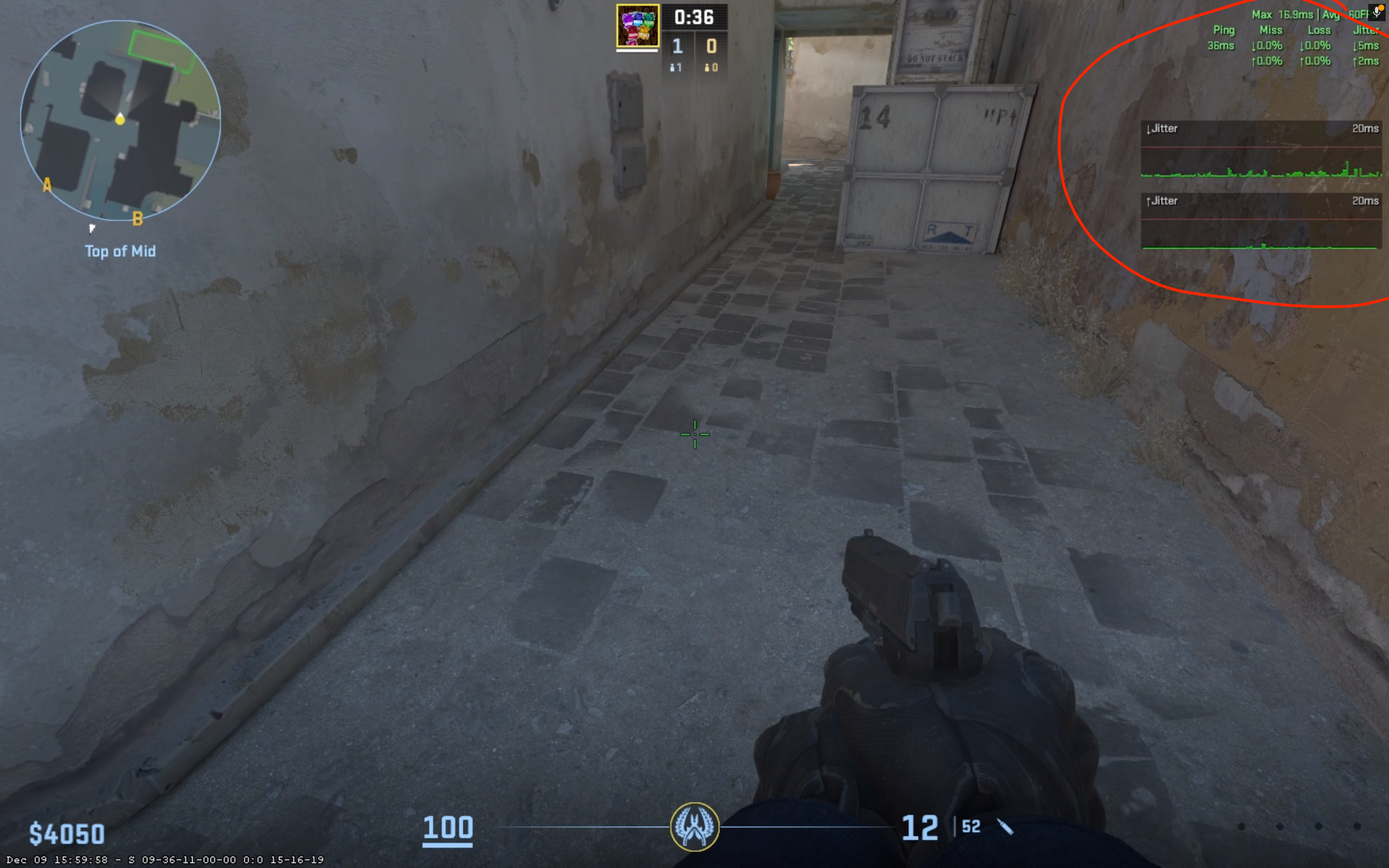
Diagnosis
Ping (latency)
This depends on your location relative to the server, but generally speaking, latency should be less than 100 ms (preferably less than 70 ms).
Loss (packet loss)
Packet loss is defined as the percentage of packets sent from the user's computer that were not received by our servers. In an ideal world, this value should be 0% or at most 1%. Higher values will be noticeable and can lead to a feeling of lag.
I have too high ping and/or packet loss, what should I do?
The first recommendation would be to determine if this problem affects everyone on the server or just you.
If everyone on the server, or at least more than a few, is experiencing the same problem, it's probably on the server side. Create a ticket in the panel and let us know, we'll look for the source of the problem together.
If the problem only affects you or at most a few players, it's probably a problem on the client side (your/your connection).